
Zum Hauptinhalt springen

EN

Software Change? Yes! - New 510(k)? Eh...

{fastsocialshare}

It is a well-known tendency that changes made to software (new features, bug fixes, etc.) often lead to new software errors. In a medical device context, this can have detrimental consequences.

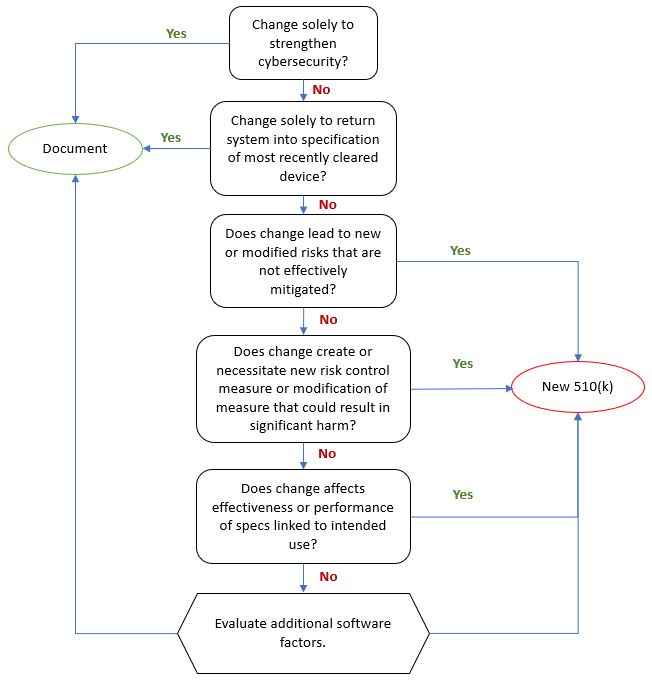
The FDA requires that medical device manufacturers submit a new 510(k) when a marketed device has changes, including changes to software, that could significantly affect the safety or effectiveness of the device or when there are major changes in the intended use of the device.

Of course, the word "significantly" is the moving target here. To facilitate the decision whether a new 510(k) is required, the FDA issued the guidance document "Deciding When to Submit a 510(k) for a Software Change to an Existing Device" in October 2017.

FDA Commissioner Scott Gottlieb said a statement that the guidance ..." enhances predictability and consistency for innovators deciding when to submit new 510(k)s by better describing the regulatory framework, policies, and practices underlying such a decision.”

Aligned has published an Aligned Elements Regulatory Wizard called When to Submit a 510(k) for a Software Change to an Existing Device that codifies this guidance document and makes it easy to assess and document whether the software changes (captured and managed in Design Control Items in Aligned Elements) will result in a new 510(k) or if documentation therefore suffices.
SoftwareChanges

The wizard When to Submit a 510(k) for a Software Change to an Existing Device is freely available for download from the Extension section of this website and serves as yet another example of how Aligned Elements can reduce the development documentation effort of your device.

 

Aligned Elements V2.5 released

What's New

{fastsocialshare}

Aligned Elements V2.5 is here and brings a host of new enhancements and fixes. 


Branching and Merging Projects

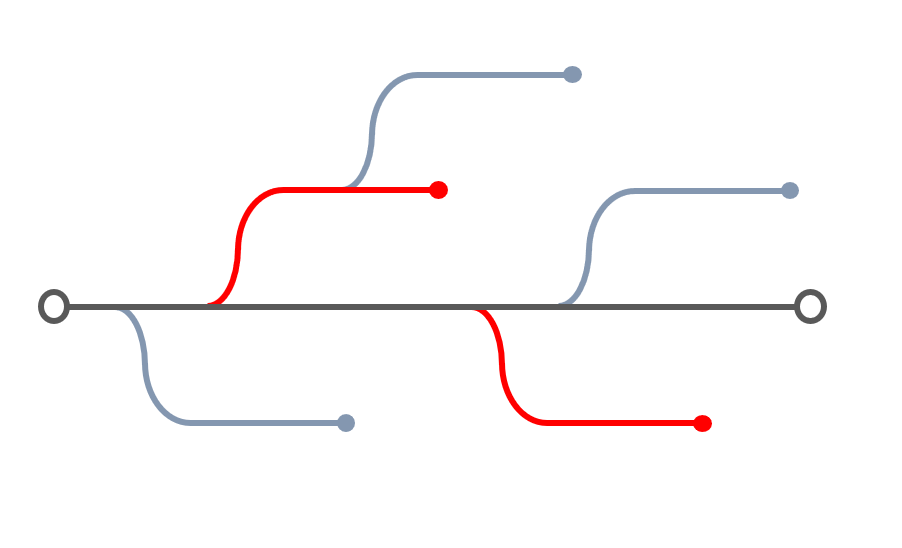
Branch Aligned Elements projects to enable parallel development throughout the Product Development Life Cycle. For example, when V1.0 of your device has been released, branching the project ensures that your next release V2.0 can be developed in parallel with any fixes required to V1.0. Merge features back from a branch into the mainline with a few simple clicks.


Branch


Native Word Integration from Aligned Elements Web Client

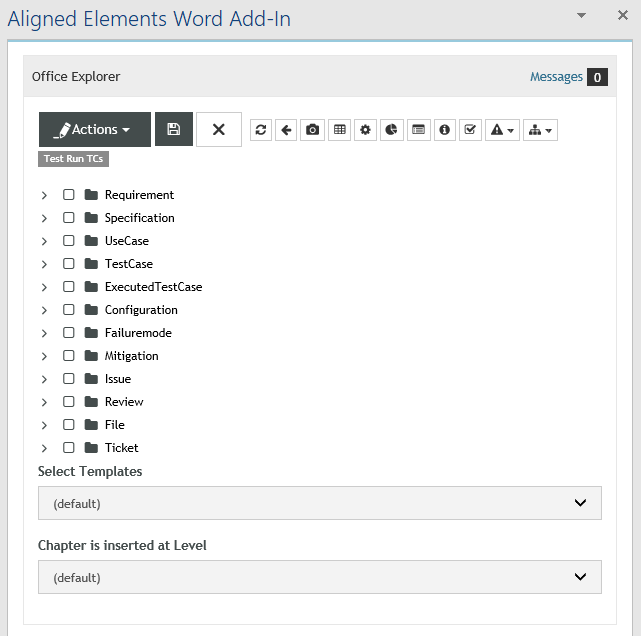
The Aligned Elements Web Client now provides a native Word Add-In which makes it possible to an incredibly flexible report creator, freely mixing regular Word Content with Aligned Elements content. All Word Integration features available in the Aligned Elements Windows client are now available in our Web Application as well. Select a Document in Aligned Elements and Word will automatically start with the Word Add-In displayed on the right side of the Word application.


WordAddIn


Risk Assessment Improvements

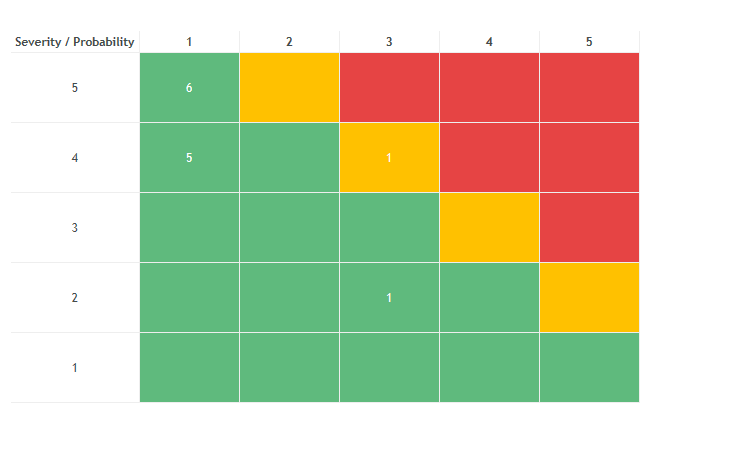
Upon customer request, we have expanded the range of options available for configuring Risk Assessments, including Probability and Severity text dropdowns, an unlimited number of risk zones with customizable coloring, and a fully customizable risk result presentation.


risks


What's Changed

  • Automatically pre-populate project with content at project creation
  • Dynamic List Attribute - expand selectable items range from GUI
  • Group Test Runs
  • Group User Favourites
  • Filter Office Explorer on Tags
  • Workflow action: Generate Object
  • Enhanced Security
  • Incoming suspect Trace validation rule
  • Validation on Incoming Trace rule
  • Illegal Trace From validation rule

Upgrade now

With important fixes and a handful of improvements, this release is a recommended upgrade.
Find the installer to Aligned Elements V2.5 here.

The Aligned Elements Automation Tool

{fastsocialshare}

Reuse. Automation.
Two words we really like.
You should too since they mean less work for you!

Robot

In this spirit, we created the Aligned Elements Automation Tool to speed up your Medical Device documentation work.

Aligned Elements - configured to match the manufacturer's QMS

But first, let's take a step back.
As you might know, the way Medical Device Manufacturers compile their development documentation is largely defined in its Quality Management System (QMS).
The QMS defines the processes, SOPs and templates used to design and document compliant medical devices in the most efficient manner given the manufacturers' unique situation.

We go to great lengths to adapt and configure Aligned Elements to each customer's QMS.
The result is a unique configuration that helps the manufacturer to write consistent, complete, and compliant Design Control Documentation with minimal effort.
The configuration defines things like:

  • Consistent naming of all Design Controls
  • Customizable Quality Control checks
  • Flexible Risk Assessment parametrization
  • The Expected Traceability and rules to detect deviations
  • Customer-specific Report Designs

Each time a new Aligned Elements project is created, the configuration makes sure that the created content is structured and aligned with the manufacturer's QMS.

Reusing existing content

However, when documenting a device, it often turns out that much of the created content itself has the potential to be reused in other projects.
Moreover, if established content is used uniformly across all device projects, a higher degree of consistency is established.
Such content can include:

  • Standard Design Control Items
  • Chapter structures
  • Trace Tables definitions
  • Frequently used Queries
  • Dashboard setups
  • Chart settings
  • Project settings like E-signature preferences and Email SMTP settings
  • Users and User Groups

Automated Reuse

These things have always been reusable in Aligned Elements With the Aligned Elements Automation Tool, it is now possible to transfer these settings to new and existing projects with a single click.

Setting up a new Aligned Elements project containing your company's established best practices is done within seconds!
The Automation Tool is the best way to swiftly leverage existing content in a consistent manner and shorten the project setup time to an absolute minimum.

So how does it work?

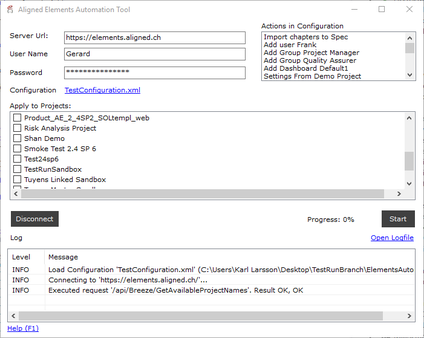
The Automation Tool combines a number of action steps in a single xml file and executes these actions against a selected set of projects.

Automation Tool

Multiple actions against multiple projects are performed in a single session.

The Automation Tool is installed as a Windows Application for manual use, as well as a Console application that can be used and triggered from other programs. 

Note! The Aligned Elements Automation Tool leverages the Aligned Elements REST API. Deploying the Aligned Elements Web Application is thus a prerequisite to use the tool.

The Aligned Elements Automation Tool can be downloaded here.

Aligned Elements V2.4 SP 6 Released

What's New

{fastsocialshare}

This service pack contains an assortment of small to medium improvements. As always, it is based on a significant amount of input from the Aligned Elements User Community. The strongest focus is on improvements in user management, web usability, and Word reporting.


Improved User Handling

Collaboration with development partners in Aligned Elements is definitely something that will speed up your documentation work. But sometimes, some functions and data should stay off-limits for your partners.
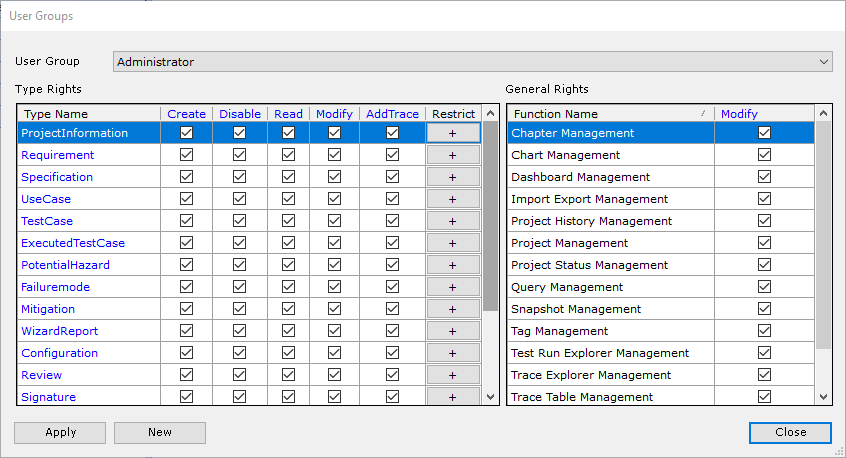
With improved access management, Aligned Elements restricts access to functions and data and ensures that information is shared on a need-to-know basis. Optional log-in with Microsoft credentials is also possible, as well as optional display of full name and/or email of users wherever user actions are displayed.


User Groups


Inline Editing in Tables

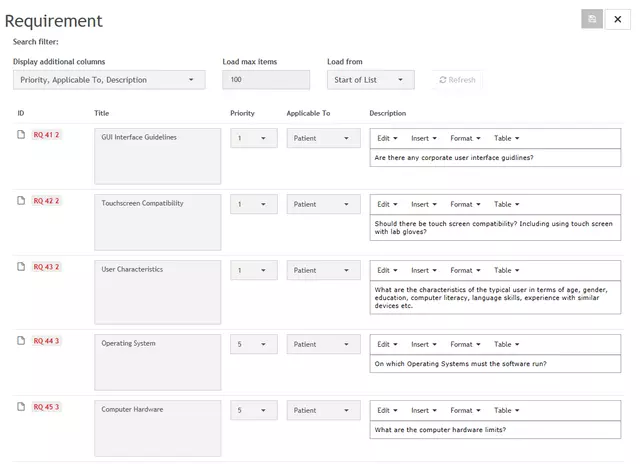
The Aligned Elements Web client now supports inline editing in Design Control Items tables. This greatly improves usability as the Items don't have to be accessed individually for editing. A set of Items is opened for editing in table mode with a single click. Select the attributes to be displayed in the table, edit as you like, and save all items with a single click.


InlineEditing


Word Improvements

Aligned Elements now optionally keeps track of Design Control Items inserted as Queries, Risk Tables, and Trace Tables and will highlight any outdated documents where the items have changed after they were placed in the document. More flexibility in handling Word Template variants and enhanced coloring of Risk Assessments are welcome contributions from our users.


version office 14


What's Changed

  • Automatically add new Items to active Tags
  • Test Runs - Automatic removal of old attachments and issues at re-execution
  • Test Runs - Assign failed tests to new Test Run
  • Project Search Bar in Open Project Dialog
  • Generate, copy or execute multiple items in a single action
  • Signature stamp improvements now include time and time zone information
  • Set Traces to existing items in Table Attributes
  • Import / Export of Project Settings
  • Synchronized import without synchmap files

Upgrade now

With important fixes and a handful of improvements, this release is a recommended upgrade.
Find the installer to Aligned Elements V2.4 SP 6 here.

Aligned Elements Hotfix V2.4 SP 5 Released

What's New

{fastsocialshare}

Aligned Elements V2.4 SP 5 (2.4.213.14327) is a hotfix for solving an upgrade problem for projects from V2.4 SP 2 and earlier to the newest version of Aligned Elements.

Upgrade now

This is the recommended version.

Find the installer to Aligned Elements V2.4 SP 5 here.

Aligned Elements V2.4 SP 4 Released

What's New

{fastsocialshare}

With a complete overhaul of the Aligned Elements Web Client frontend, we are pleased to give you a much better user experience. In this release, we also introduce the Aligned Element dashboards, improvements to the Review Experience as well as several changes requested by our customers (to whom we always listen!)


Dashboards

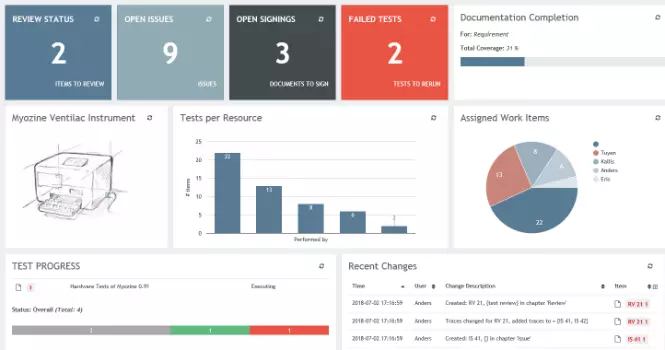
Have you ever thought that although there is an immense amount of valuable information in Aligned Elements, getting an overview of the current state of affairs is not particularly straightforward? Enter Dashboards, you can now configure your own cockpit from a large number of Widget types. Web client information at your fingertips!

Dashboard


Web Client Frontend UX Enhancements

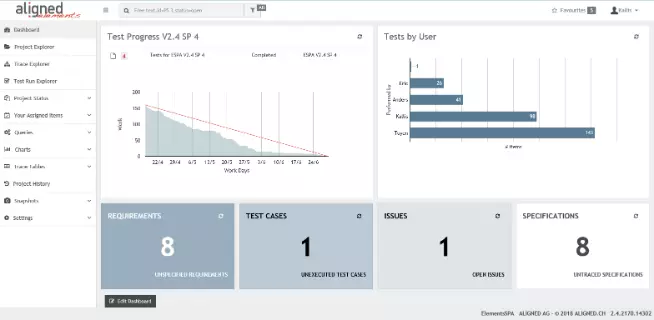
With proper Sidebar navigation as well as side-by-side operations of Project/Trace Explorer and the Items, the need for jumping back and forth is significantly reduced. Event-based updates remove the need to manually refresh. A useful Test Run Burndown chart now tracks your progress.

Frontend


Enhance Design Review UX

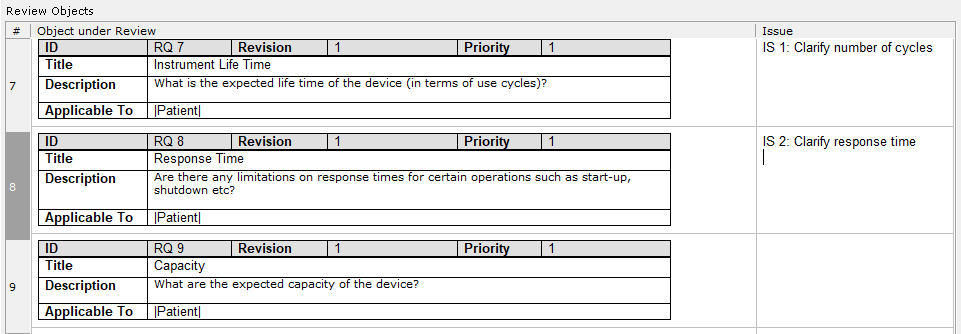
The Design Reviews now display the Design Control Items just like they appear in your documents. You can create and assign issues directly to the Design Control Items without having to leave the context. We have also added an option for the Reviewer to explicitly state completion of all assigned tasks with a single button click.

Review


What's Changed

  • New Inconsistency rules for Missing Test Executions in Test Runs and Unique attribute values
  • Improvements in the management of External Issue Management systems
  • Clearing File attribute values
  • Warn on commit on selected inconsistencies
  • Improved performance for Cloud Projects

Upgrade now

With important fixes and a handful of improvements, this release is a recommended upgrade.
Find the installer to Aligned Elements V2.4 SP 4 here.

Aligned Elements V2.4 SP 3 Released

What's New

{fastsocialshare}

Continued integration with external systems has been the theme of this release. We are glad to have incorporated GitHub tickets into our ecosystem. Operating with Linked Projects has now also become easier.

Hello, GitHub!

We are finally integrating towards the tickets of the most popular source code control system on the planet! The GitHub integration allows you to create, modify and trace towards GitHub Tickets e.g. when you are performing your Tests.

GithubBig


Web Client Usability

Improved linked project support, as well as the display of Help Texts, have been implemented in this release.

HelpText


Starting external processes

Via Workflows, it is now possible to start external processes, triggered by events in Aligned Elements. These external processes can be fed with Aligned Elements content for further processing.

adam


What's Changed

  • A new Inconsistency rule detecting obsolete traces
  • Default texts in Table attributes
  • Renaming of Files in Web Client
  • Creating Projects with templates in Azure File Storage
  • Optional automatic updates of linked traces

Upgrade now

With important fixes and a handful of improvements, this release is a recommended upgrade.
Find the installer to Aligned Elements V2.4 SP 3 here.

Aligned Elements V2.4 SP 2 Released

What's New

{fastsocialshare}

In this release, we have continued to expand existing features in alignment with our customers' feedback. Charts are now persistent, the Web client is getting really smooth and the powerful Test Run gets even more powerful.

Charts

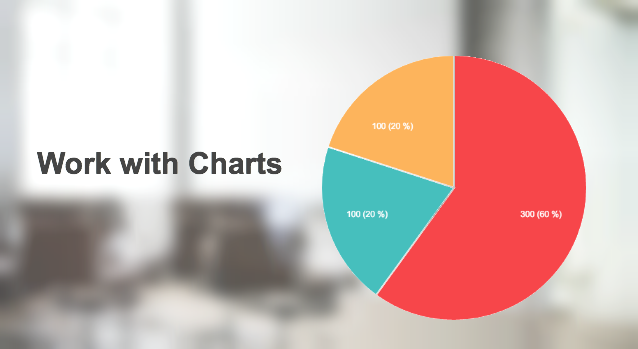
Although charts have been a feature of Aligned Elements for quite a while, you can now save them and integrate them into your Word reports. The Chart Designer lets you design and organize your charts and present the project's Design Control data in the most capturing way.

workWithCharts

Web Client Usability

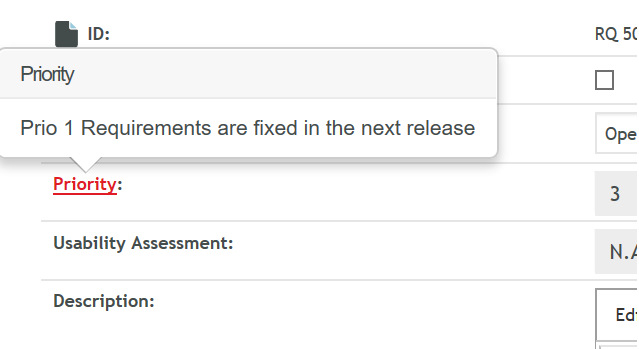
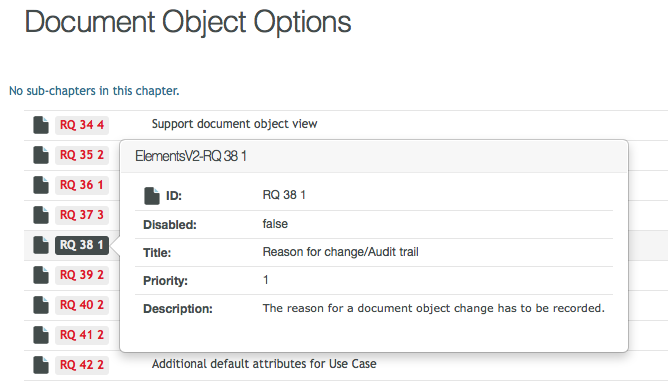
We have included popovers of Document Objects when hovering on Document Object IDs in the Web Client. This gives a quick preview of the item's content without having to leave your context.

popup

Test Run Improvements

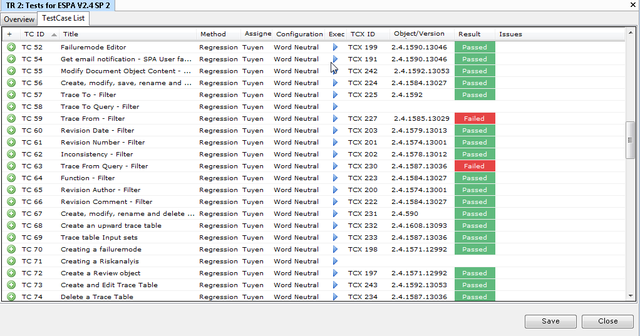
Test Runs have been enthusiastically received by the Aligned Elements User community. In this release, we have added newly requested features, improved performance, and fixed a number of bugs.

TestRunPic

What's Changed

  • Two new Inconsistency rules
  • Signalize suspect traces across project boundaries
  • Improved import mapping capabilities
  • Improved reliability and performance for Word Reports
  • Additional DB security options- Chapter content optionally displayed as lists

Upgrade now

With more than 100 enhancements, fixes, and improvements, this release is a recommended upgrade.
Find the installer to Aligned Elements V2.4 SP 2 here.

Medical Device Cybersecurity Risk Management

{fastsocialshare}

Performing Medical Device Cybersecurity Risk Assessments is something we Medical Device Manufacturers must get used to. And the sooner the better, During 2016 and 2017 a mounting number of health associated cybersecurity incidents have been reported. Cybersecurity breaches may well become THE main safety concern in our industry within the next few years. Increased regulation on this matter is to be expected.

Hacking

FDA has already published guidelines on its view on how medical device manufacturers ought to address cybersecurity in Medical Devices. The guidance outlines the documentation FDA expects to see in the premarket submissions as well as what is expected to be conducted for SOUPs and during postmarket activities.

At the core of this documentation lies the Cybersecurity Risk assessment. As already discussed, this type of risk assessment is slightly different to the typical Design Risk Assessment conducted during development.

To address this task, which many manufacturers will have to perform, we have developed a risk assessment template set specifically for documenting Cybersecurity risks and mitigations.

This template package is free to download and use for all Aligned Elements customers.

Are you interested in how the Cybersecurity Risk Assessment can be conducted and integrated with the rest of your Design Controls?

Diese E-Mail-Adresse ist vor Spambots geschützt! Zur Anzeige muss JavaScript eingeschaltet sein. for a free demonstration!

The Aligned Elements Cybersecurity Risk Assessment package contains:

  • Risk assessment templates based on AAMI TIR 32, modeling Assets, Threats, Vulnerabilities and Risk Controls as Measures
  • More than 30 Best Practice Cybersecurity Risk Mitigations ready to use

If you are looking for a Cybersecurity Risk Assessment Word Template, you can download an example here:

Cyber Security Risk Assessment Word Template


Download the EU IVDR General Safety and Performance Requirements

{fastsocialshare}

The IVDR (Regulation EU 2017/746), published in the EU Official Journal on May 5th, will have a significant impact on the manufacturers making IVDR products. 

IVDR EU Regulation 2017 746

The BSI Group calls the new risk classification in the IVDR  a “quantum leap” for products that could have been self-certified under the old directive to products soon needing notified body certification under the new regulation. Access to notified bodies has been identified as a major bottleneck in the years to come.

IVD companies targeting the European market should therefore move swiftly and resolutely if they desire to stay in business. Compiling the Technical File could be one such task.

The EU IVDR Annex I General Safety and Performance Requirements section corresponds to the Essential Requirements section in MDD Annex I.

If you want to check how your current Technical Files complies with these requirements, you can download our checklist here:

IVDR (EU 2017/746) Annex I General Safety and Performance Requirements

Just like the MDR Annex, I General Requirements, the IVDR Annex I counterparts are also available to Aligned Elements users as a free extension.

IVDR Annex I Requirements can be imported as Design Control into any of your Aligned Elements projects and included in the traceability. The extension corresponds to the requirements in the 31 page checklist and is made readily available in your traceability in a matter of seconds!

Kickstarting your Technical File compilation with the IVDR Annex I General Requirements extension, available to Aligned Elements users in order to help them accelerate their medical device Design Control documentation effort. Browse through the available extensions and discover how they could accelerate your project.

The extension is available here: IVDR (EU 2017/746) Annex I Extension