Zum Hauptinhalt springen

EN

MHRA releases Guidance on Human Factors and Usability Engineering

{fastsocialshare}

In the beginning of June, MHRA has released its guidance Human Factors and Usability Engineering – Guidance for Medical Devices Including Drug-device Combination Products. It is meant to help Medical Device manufacturers in the areas of human factors and usability engineering and clarifies the expectations of the notified bodies around compliance with the EU medical device legislation.

MHRA

The content is to a large extent a reiteration of IEC 62366-1:2015. In any case, this is yet another indication of the increased focus involved agencies place on Human Factors and Usability Engineering.

Should you be interested in finding out more about how Aligned Elements implements IEC 62366-1:2015, click here.

Aligned Elements V3.2 now released

Aligned Elements V3.2 (3.2.593/287.25450) is here, and we are proud to includes a large set of new features and fixes.

What's New

V3.2 comes with the introduction of the Aligned eQMS, a complementary product to Aligned Elements.

Get the full story on some of the new features in Aligned Elements V3.2 below:

The Release Notes containing all new features and fixes can be found here.

Sign up to the "What's New" Webinar on Thursday December 11th

Curious to see the new features live?

Want to gain a deeper insight into what Aligned Elements V3.2 can do for you?

Register today to the "What's New" Webinar

When: Thursday, December 11th, 2025

Time: 16:00 CET (45 Min)

Use this link to Sign up

Upgrade Now

This release is a recommended upgrade.
Find the installer to Aligned Elements V3.2 here.

Favourites First! The Fast Lane for finding your Best Queries

  • Written by

  • on

  • . Posted in

Managing queries just got a major upgrade in Aligned Elements. With our enhanced query view, you can now sort, select, and prioritize your queries with ease. No more scrolling through endless lists. Your most important queries are always front and center.

Mark queries as favourites and watch them rise to the top, giving you instant access to the items that matter most. Whether you’re reviewing requirements, tracking changes, or preparing reports, this feature keeps your workflow smooth, fast, and intuitive.

With favourites taking the lead, you can spend less time searching and more time doing what matters: delivering high-quality results efficiently. Try it out in the latest release and experience the fast lane for your queries!

About the Author
[rocket]

Accelerate your journey to CE Mark and FDA approval

Try aligned elements 30 days for free!

Start Today

Weiterlesen

Catalogue Projects: Smarter Reuse of Design Control Items

  • Written by

  • on

  • . Posted in

We are excited to introduce Catalogue Projects, a new feature in Aligned Elements that makes re-using Design Control items and documents smarter, more efficient, and fully traceable.

Catalogue Projects allow you to build Design Control libraries that serve as centralized collections of reusable, pre-approved items, encapsulated knowledge that can be shared across multiple projects.

This new capability ensures that your team can rapidly re-use proven Design Controls and leverage already established engineering work, standing on the shoulders of previous development work.

From Copying to Controlled Reuse

The already available ways of reusing Design Control data, such as linked projects, branching-merging, copying between projects or import-export has their well-deserved places in the palette of Design Control engineering. However, as Design Control copies solves the problem to some extent, they are innately isolated from their originals. If the source item changes, the copied version stays ignorant of the change event. Synchronizing such changes is a challenge.

Catalogue Projects solve this problem by introducing reference instances of items. When you re-use an item from a Catalogue, your project creates a referenced version that maintains a connection to the original source.
If the source item changes, you can choose to push those updates to the linked items, either individually, selectively, or in bulk. This gives you the best of both worlds: consistency where needed and flexibility where appropriate.

A Central Hub for Reusable Knowledge

A Catalogue Project acts as a dedicated library for Design Control elements, as well as Design Control element chains (Requirements tracing to Specifications training to Tests), and documents (Biocompatibility reports for given materials, Toxicology tests, process validations).

When applying a Catalogue item in a target project, chapter information, attributes, and tags are applied. In the target project, selected attributes in these reused items are read-only, preserving the integrity of your approved data. However, you can still extend the target project items with additional project-specific attributes and notes. This makes it possible to tailor reused content to each project’s needs without altering the common foundation.

Full Oversight and Controlled Updates

From the Catalogue Project, you can monitor exactly where each item is being reused.
When an update occurs in the Catalogue, it requires an explicit User action to push that change downstream. You decide how broadly to apply updates:

  • Cherry-pick specific items to update where it makes sense
  • Perform batch updates to align multiple projects at once

This fine-grained control ensures that your projects stay current with approved content while avoiding unwanted alterations.

If more flexibility is required, you can detach the referenced instance from its source at any time and start making changes independently. 

Why Reusability Matters

As we can see, reusing Design Control items is not just a technical convenience for the individual user. It is a strategic advantage that strengthens your product development process on multiple levels:

1. Faster development and shorter time-to-market

Teams can draw on a growing library of existing, validated content instead of reinventing requirements, risks, and tests for every new project. Proven elements can be reused immediately, helping new projects start faster and reach completion sooner.

2. Consistency and standardization

Reusing standardized Design Control items ensures that core business rules, safety requirements, and regulatory standards are applied uniformly across all projects. This consistency reduces the risk of omissions, discrepancies, or non-compliance.

3. Higher quality and reliability

Each reused item has already been reviewed, approved, and tested in earlier projects. By building on trusted content, you reduce the chance of errors and maintain a higher overall quality baseline.

Building Smarter, Together, with Catalogue Projects

With Catalogue Projects, Aligned Elements evolves from a Design Control management tool into a central knowledge repository for your organization. It helps you establish compliant Design Control information, preserve it and make it available to every future project.

Reusability leads to greater consistency, faster delivery, and less risk of outdated or missing information. Most importantly, it ensures that your teams spend less time rediscovering solutions and more time innovating.


About the Author
[rocket]

Accelerate your journey to CE Mark and FDA approval

Try aligned elements 30 days for free!

Start Today

Weiterlesen

Aligned Elements V3.1 now released

Aligned Elements V3.1 (3.1.547/272.24402) is here, and we are proud to includes a large set of new features and fixes.

What's New

V3.1 is a large update, and we introduce a host of new features in this one.

Get the full story on some of the new features in Aligned Elements V3.1 below:

The Release Notes containing all new features and fixes can be found here.

Sign up to the "What's New" Webinar on Thursday April 3rd

Curious to see the new features live?

Want to gain a deeper insight into what Aligned Elements V3.1 can do for you?

Register today to the "What's New" Webinar

When: Thursday, April 3rd, 2025

Time: 14:00 CET (45 Min)

Use this link to Sign up

Upgrade Now

This release is a recommended upgrade.
Find the installer to Aligned Elements V3.1 here.

Introducing the Aligned eQMS: Your Complete Digital Quality Management Solution

  • Written by

  • on

  • . Posted in

We are finally here! After 18 months of hard work, we are ready for the imminent launch of the Aligned eQMS, our new electronic Quality Management System that perfectly complements our tried and tested Aligned Elements Design Control ALM.

Built specifically for Quality and Regulatory professionals in the medical device and IVD industries, Aligned eQMS provides a complete, ready-to-use, and compliant quality management system allowing you to focus on developing safe, innovative products instead of reinventing QMS processes from scratch.

A Proven, Off-the-Shelf QMS Package

Aligned eQMS comes preloaded with 31 Standard Operating Procedures (SOPs) and more than 100 templates, offering a complete, field-tested framework for compliance with EU MDR and IVDR and FDA QSR.

The SOPs and templates have been written and audited by our colleagues at Quaregia, a well established team of quality and regulatory professionals who have synthesized more than 35 years of collective experience and best practices into this high-quality content.  

By combining this QMS content with the Aligned platform, we have created an eQMS supercharge with automated change control, audit trails, traceability, automated consistency checks and branded reporting ready for you to use.

This means your Quality and Regulatory team can work in the same efficient manner to solve their daily compliance tasks as your engineering team solves Technical File actions in Aligned Elements.

Digitally Manage your QMS

With Aligned eQMS, you can manage a wide range of quality processes in one secure, intuitive, and fully digital environment:

  • Document Management: Control, approve, and archive your QMS documentation efficiently.
  • Training Management: Assign, track, and verify employee training and competency.
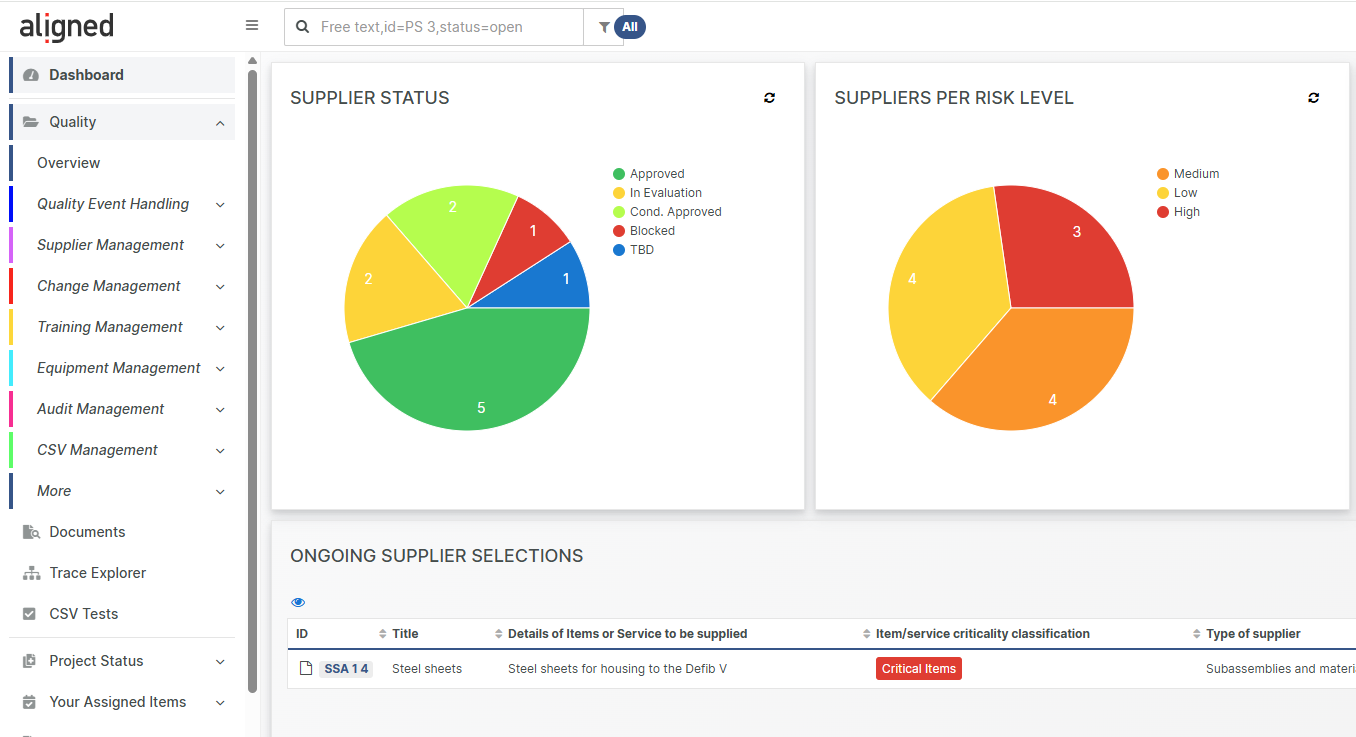
  • Quality Event Management: Capture and manage Feedback, Nonconformities, CAPA and Vigilance Reports with full traceability.
  • Supplier Management: Select and approve, register and monitor your suppliers digitally.
  • Change Management: Request, plan, implement and track changes in a structured manner with full linkage.
  • Computer System Validation (CSV) Management: Maintain compliance for your software tools with ready-to-use templates and records.
  • Equipment Management: Track calibration, maintenance, and qualification of equipment.
  • Audit Management: Plan, execute, and document audits seamlessly within your QMS.

A Natural Extension of Aligned Elements

Aligned eQMS is designed to integrate with Aligned Elements Design Control functionality, providing a unified platform for both product development and quality management. This alignment ensures full traceability from design input to post-market activities, being a cornerstone of compliance and efficiency.

Ready When You Are

Whether you’re a start-up establishing your first QMS or an established manufacturer looking to digitalize and streamline existing processes, Aligned eQMS provides proven, compliant, and maintainable foundation right out of the box.

Stay tuned for the official launch announcement and get ready to experience the next evolution in digital Quality Management.

About the Author
[rocket]

Accelerate your journey to CE Mark and FDA approval

Try aligned elements 30 days for free!

Start Today

Weiterlesen

10 More Reasons to upgrade to Aligned Elements V3.1 - New Features coming soon!

{fastsocialshare}

We are just days from releasing Aligned Elements V3.1, and we are truly excited about all the new features being made available to Aligned Elements Users.

We have already talked extensively about the new AI Features, new UI improvements and an enhanced Search/Query experience.  But there is even more in the Easter Bunny's bag this year!

Join us in our "What's new in Aligned Elements V3.1" live webinar on Thursday April 3rd 14:00 CET for an in-depth walk through of all new features and changed.

Sign up here: Registration Form 

Here are 10 more excellent reasons to upgrade to Aligned Elements V3.1 and make your Technical File complete, correct and consistent at a higher tempo and with less effort.

1. All Tasks in all Projects in One View

Would you like to see all your assigned Tasks across all Projects? This is what the Project Overview is all about! All projects listed, in a single view with all your open tasks, upfront, at your fingertips with a single click. 

2. ReqIf Import Support

Requirements Interchange Format (ReqIF) defines such an open, non-proprietary exchange format and is supported by many requirement management and ALM tools. Our Aligned Elements Importer is now compatible with the ReqIF format, and ReqIF data can now be converted and imported into your Aligned Elements projects. 

3. Show previous Test Results In Test Run

First things first. When starting a new Test Run, it makes sense to start out with previously failed tests to make sure they are fixed in the newest version of your device. The result from the previous execution can now optionally be displayed in the Test Run to assist you in doing the optimal prioritization of your tests to run.

4. Create Unique Test results per Test Run

Need more flexibility in keeping your Test Results apart? With a simple configuration change, unique Test Results can now be created per Test Case - Configuration - Test Run combination. 

5. Linked Project Overview / Show linked traces in child projects

Which 'parent' projects are linking/using this project? The answer can now be found in the Linked Project View in Manage Projects. Furthermore, you can now open a child project and see linked traces in the Trace To and Trace From tabs from all 'parent' projects.  

6. Probability in Harms

More on the medical device ìndustry's most flexible Risk Management: several Aligned Elements customers have requested the possibility to define not only the Severity in the Harm object but also the Probability of Occurrence of Harm. Grouping these two parameters in the Harm is now optionally available in Aligned Elements V3.1.

7. Email users from Manage Users

Planning a maintenance? Want to inform about a template change? Need to communicate urgently with your Aligned Elements user base? Use the Email Users function in Manage Users to reach all your Aligned Elements users with a single email.  

8. Include Comments in Excel Export

The nested/threaded comments is a much revered feature, making online collaboration truly happening. We expand on that feature with our previously mentioned search-by-query option in Comments and now also, including the exporting of comments to our Excel Reports from the Chapter View.

9. Reset Review Assessments on Change

More on Design Reviews: a new optional behavior is to reset existing Review assessments when an object under review is modified. This supports the review scenario: assess => modify => re-assess. Reviewers are automatically notified via email if an assessed object under review has been changed and a re-assessment is expected 

10. Performance Improvements

Aligned Elements V3.1 brings performance enhancements in several areas, including Review management, Query management and Chapter management. This will decrease load times on frequently performed functions and improve the user experience, enabling faster operations and get you to a complete Technical File as rapidly as possible. 


Power Queries - Search smarter, not harder - New Features coming soon!

{fastsocialshare}

By popular request, we have expanded the capabilities of our query engine even further, adding to the already massive set of search capabilities and strengthening the ease-of-use.

This new set of improvements provides the most powerful and flexible way to find exactly the data you need.

'OR' - Filters

The possibility to create union filter combinations, or simply 'OR'-filters, has long been at the top of our users wish list. With Aligned Elements V3.1, we introduce the possibility to create 'OR'-combinations between the most important filters, taking the first step in this direction. You can now filter your data with several filters/conditions, where only one of the conditions need to be satisfied to yield a result.

QueryDesigner

Three new Query Filter Types

To achieve the best relevance of results, we have added three more filter types, expanding the number of available filters to 18!

The new Query Type filters are:

  • Approval Attribute Filter - find items using electronically approved Approval Attributes, that have not been approved, have been approved by a particular person, for a particular reason for before or after a particular time.
  • Comments Filter - search for items having comments that are not yet resolved or declined, written by a particular author or was created during a particular period.
  • "Item State In Test" Filter - unveil tests that have either been or not been assigned to a particular person, and test that have been executed or not

Overhauled Query Designer and more easy-of-use

Adding all these new Query improvements called for a restructuring of the Query list and Query Designer.

Query Overview

In the revamped UI, you will now find:

Searching-as-you-type filter
Find your query faster by using the search-as-you-type filter at the top of the Query list.

Help texts in the Query Designer
Clearer information are now found next to the major query options, provided by hover-popup help texts.

Copy Query
The new Copy button lets you duplicate existing queries effortlessly, saving time and ensuring consistency. Say goodbye to tedious reconfiguration — just copy, tweak, and get instant results!

Lock items in the query output
Added to the many existing Action options, you'll now find the new "Lock Objects" which lets you swiftly lock down the Design Controls yielded by your query.